HOME OFFICE & WELLNESS
The Ergonomic Home Office: How to Build a Smart, Body-Friendly Workspace
7 min read · Home Office & Productivity · Updated August 2026
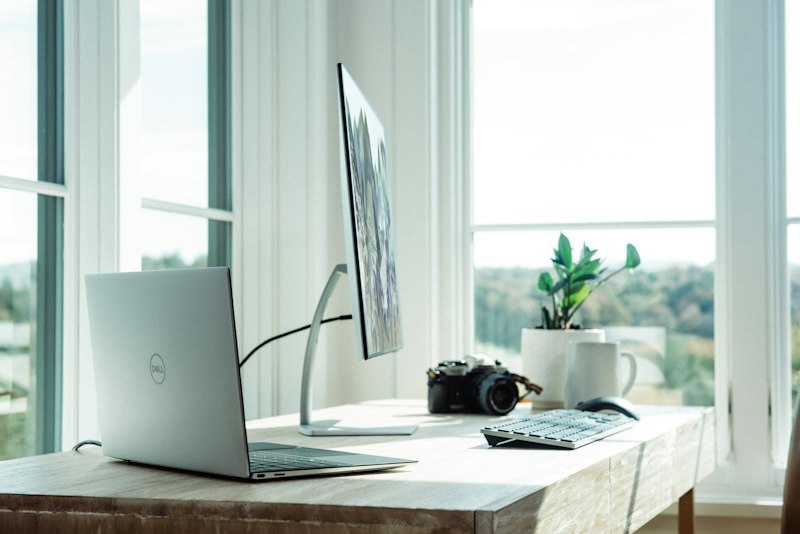
A well-designed home office does more than look good — it protects your body and sharpens your focus.
A thoughtful home office is about far more than a stylish desk and a laptop. If you work from home, proper ergonomics and smart tools are essential for preventing neck pain, a stiff back, and afternoon fatigue — and the fixes are simpler than you think.
Since the shift to remote and hybrid working, millions of people have set up makeshift offices on kitchen tables, sofas, and spare bedroom floors — and their bodies are paying the price. Neck tension, lower back pain, wrist strain, and eye fatigue are now among the most commonly reported complaints from home workers. The good news? A few targeted adjustments can transform even a modest setup into a workspace that genuinely supports your health and productivity.
Here is a practical, step-by-step guide to building an ergonomic home office — without having to redesign the entire room.
Why Home Office Ergonomics Matter More Than You Think
When we work from home, the natural boundaries between movement and stillness tend to disappear. Without a commute, without colleagues nearby, without the unconscious shifts that happen in a shared office, people often sit in the same position for hours at a stretch — and in poorly configured spaces.
Research from the British Medical Journal found that musculoskeletal complaints increased significantly among home workers compared to office-based staff during the transition to remote work — largely due to inadequate furniture and poor posture habits. Over time, this places compounding strain on the neck, shoulders, and lumbar spine.
|
60% Of remote workers report new or worsened back pain since working from home |
27kg Force placed on the cervical spine when looking down at a laptop at 45° |
45min Maximum recommended sitting time before taking a movement break |
A properly ergonomic setup contributes to less muscle tension (correct screen and chair angles relieve neck and shoulder strain), better circulation (alternating between sitting and standing keeps blood moving), and greater focus (when the body is comfortable, mental energy goes to the task rather than managing discomfort).
Step 1: Screen Height and Neck Relief
One of the most common — and easily fixed — causes of neck pain at a desk is a screen that sits too low. When you look down at a laptop placed flat on a desk, you bend your neck forward. At just 45 degrees of forward tilt, the effective weight on your cervical spine increases to around 27 kilograms. Over an eight-hour workday, that load accumulates significantly.

Raising your laptop so the top third of the screen sits at eye level immediately reduces neck strain.
Use an Adjustable Laptop Stand
Raise your laptop so that the top third of the screen is at eye level. This naturally positions your head in a neutral, upright posture. Aluminium stands are preferable — they are stable, heat-dissipating, and adjustable to multiple angles. Once elevated, you will need an external keyboard and mouse (covered in Step 2).
★ RECOMMENDED PRODUCT
Adjustable Aluminium Laptop Stand
Multi-angle, foldable, and compatible with most laptop sizes — raises your screen to eye level in seconds and folds flat for storage.
→ Shop on AmazonConsider an External Monitor on an Adjustable Arm
If you regularly work with documents, spreadsheets, or multiple windows at once, an external monitor mounted on a height-adjustable arm gives you precise control over screen height and viewing distance. The ideal viewing distance is roughly 50–70cm from the eyes, with the screen tilted back slightly (10–20 degrees) to reduce glare.
QUICK TIP
A simple test: sit naturally at your desk, close your eyes, then open them. Where your gaze lands is roughly where the top third of your screen should be. Most people find it is considerably higher than their current setup.
Step 2: Keyboard and Mouse for Neutral Wrists
Once your laptop is raised, the built-in keyboard and trackpad are no longer usable at a healthy angle — which is why an external keyboard and mouse are non-negotiable in an ergonomic setup. The goal is to keep forearms roughly parallel to the floor and wrists in a straight, neutral position.
Ergonomic Keyboard
Choose a low-profile keyboard that allows your forearms to rest flat on the desk without bending the wrists upward. Split or curved ergonomic keyboards go a step further, allowing a more natural shoulder-width hand position that reduces strain on the shoulders and forearms during long typing sessions.
Vertical or Ergonomic Mouse
A vertical mouse positions the hand in a natural "handshake" orientation, eliminating the forearm rotation required by a standard flat mouse. Studies have shown that vertical mice reduce electromyographic activity in the forearm muscles — meaning less muscular effort and fatigue over the course of the day. This makes a measurable difference in reducing the risk of repetitive strain injuries and wrist inflammation.
★ RECOMMENDED PRODUCT
Wireless Vertical Ergonomic Mouse
Natural handshake grip, wireless freedom, and adjustable DPI — reduces forearm rotation and wrist fatigue during long work sessions.
→ Shop on AmazonStep 3: Proper Sitting Posture and Lumbar Support
A good office chair should support the natural S-curve of the spine — particularly the inward curve of the lower back (lumbar lordosis). When the lumbar region loses support, it rounds outward, shifting the entire spinal column into a slouched C-shape that strains muscles and compresses the discs over time.
The right chair keeps the spine in its natural S-curve — reducing disc pressure and muscle fatigue throughout the day.
| ✓ | Lumbar support. Ensure your chair supports the lower back. If it doesn't, a contoured memory foam lumbar cushion placed at the natural curve of the spine makes an immediate difference. |
| ✓ | Knees and hips at 90 degrees. Adjust chair height so your feet rest flat on the floor with approximately a 90-degree angle at the knees. Feet should not dangle or be tucked underneath. |
| ✓ | Armrests at elbow height. Armrests should support the elbows at a 90-degree angle without raising the shoulders. Raised shoulders are a primary driver of upper trapezius tension and headaches. |
★ RECOMMENDED PRODUCT
Ergonomic Memory Foam Lumbar Cushion
Contoured to fit the natural curve of the lumbar spine — compatible with most chairs and an affordable upgrade before investing in a new seat.
→ Shop on AmazonStep 4: Sit-Stand Desks and Anti-Fatigue Mats
The human body is designed for movement — not sustained static posture. No matter how perfectly calibrated your sitting position, extended periods without movement reduce circulation, increase disc pressure, and fatigue the postural muscles. The best posture is always the next one.
Electric Height-Adjustable Desk
A motorised sit-stand desk allows you to transition between sitting and standing positions throughout the day with minimal disruption. Research from the American Journal of Epidemiology suggests that alternating between sitting and standing — even in short 15–30 minute intervals — measurably reduces lower back pain and improves energy levels and mood during the working day. Look for desks with programmable height memory so you can switch positions at the press of a button.
Anti-Fatigue Standing Mat
Standing on a hard floor for extended periods creates its own set of problems — foot fatigue, lower limb tension, and increased pressure on the lumbar spine. A quality anti-fatigue mat provides cushioning and — importantly — encourages constant subtle micro-movements in the feet and calves, which activate the calf muscle pump and improve blood return to the heart. This is the key mechanism behind their effectiveness.
★ RECOMMENDED PRODUCT
Anti-Fatigue Standing Desk Mat
Thick cushioned foam with bevelled edges — reduces foot and lower back fatigue and encourages the micro-movements that keep circulation active.
→ Shop on AmazonStep 5: Smart Lighting for Focus and Eye Comfort
Lighting is one of the most overlooked elements of a healthy home office — yet it has a direct impact on eye fatigue, headaches, circadian rhythm, and cognitive performance throughout the day.

Natural light from the side, supplemented by a tunable desk lamp, is the gold standard for a productive, eye-friendly workspace.
| ☀️ | Position your desk for side lighting. Natural daylight should enter from the side of your screen — not directly in front (causing screen glare) or behind (creating silhouette shadows on the screen). A window to your left or right is the ideal arrangement. |
| | Use a tunable desk lamp. A lamp with adjustable colour temperature lets you use cooler, blue-tinted light (5000–6500K) in the morning to support alertness, and warmer, amber light (2700–3000K) in the afternoon to ease eye strain and support the natural wind-down of your alertness cycle. |
| ️ | Follow the 20-20-20 rule. Every 20 minutes, look at something at least 20 feet (6 metres) away for 20 seconds. This exercises the ciliary muscles in the eye and significantly reduces digital eye strain over the course of the day. |
★ RECOMMENDED PRODUCT
Smart LED Desk Lamp with Dimming and Colour Temperature Control
Adjustable from warm to cool light, with dimming and USB charging port — supports focus in the morning and relaxed winding down in the afternoon.
→ Shop on AmazonHealthy Daily Habits That Make the Difference
Even the most perfectly equipped workspace cannot substitute for regular movement. Equipment reduces the cost of sitting — it does not eliminate it. Build these micro-habits into your working day:
| ⏳ | Take a movement break every 45 minutes. Set a timer. Stand up, walk briefly, or perform a few stretches. Even 2–3 minutes of movement resets muscular tension and restores circulation. |
| | Stretch your shoulders and chest. Desk work encourages the chest muscles to shorten and the upper back to round. A simple doorframe chest stretch or shoulder roll counteracts this pattern daily. |
| | Stay hydrated. Mild dehydration impairs cognitive function and increases perceived fatigue. Keeping water at your desk acts as both a hydration reminder and a reason to stand up and refill regularly. |
| | Get outside once during the working day. A 10–15 minute walk at lunchtime improves mood, reduces cortisol, supports vitamin D synthesis, and resets focus for the afternoon. |
THE BOTTOM LINE
You don't need to overhaul your entire home or spend a fortune. A raised screen, a vertical mouse, a lumbar cushion, and a smarter lighting setup can eliminate the majority of common home office complaints. Layer in regular movement breaks, and you have a workspace that protects your body and sharpens your output — for the long term.
Recommended Products at a Glance
| Adjustable Aluminium Laptop Stand Screen height · Neck relief · Foldable |
Amazon → |
| Wireless Vertical Ergonomic Mouse Wrist health · Natural grip · RSI prevention |
Amazon → |
| Ergonomic Memory Foam Lumbar Cushion Lower back support · Fits most chairs |
Amazon → |
| Anti-Fatigue Standing Desk Mat Circulation · Foot comfort · Sit-stand desks |
Amazon → |
| Smart LED Desk Lamp with Dimming & Colour Control Eye comfort · Focus · Tunable warmth |
Amazon → |
This post contains affiliate links. If you purchase through these links, I may earn a small commission at no extra cost to you. All product recommendations are based on research and genuine editorial opinion.
Comments
Post a Comment